 Aufi
Whether you are preparing for a long flight, a subway commute with spotty signal, or backing up your favorite slow-burn fanfiction before an author deletes it, knowing how to convert AO3 to PDF or EPUB is an essential skill for every reader on Archive of Our Own (AO3).
Even better: once you save a 200,000-word fanfic to your phone, you do not have to strain your eyes reading tiny text on a bright screen. With Aufi, you can import your downloaded AO3 EPUB or PDF file—or paste any public AO3 work link—and listen hands-free offline with natural neural AI voices.
🎧 Try Listening to Public Web Fiction in Your Browser
Want to hear how Aufi handles long-form narrative pacing before downloading? Test Chapter 1 of the iconic English AO3 epic Leave No Soul Behind directly on Aufi Web Reader right now:
Test Aufi Web Reader →How to Download Any Fic from AO3 to PDF or EPUB (Official Method)
Archive of Our Own natively supports exporting works without third-party scrapers:
- Open the fanfiction work on archiveofourown.org in Safari, Chrome, or Firefox.
- Look at the top-right action bar above the story title and tap Download.
- Choose your format: EPUB (best for phones and audio readers), PDF (best for fixed layout/printing), MOBI, AZW3, or HTML.
Fix: What to Do When AO3 PDF & EPUB Downloads Are Disabled
During heavy server maintenance or traffic spikes, AO3 temporarily disables EPUB and PDF generation to protect site stability. If the PDF or EPUB option is missing:
- Tap Entire Work at the top of the AO3 page so all chapters load on one page.
- Tap your mobile browser’s Share → Print (iOS) or Menu → Print → Save as PDF (Android/Chrome) to export a clean offline PDF immediately.
- Alternatively, paste the public AO3 URL directly into Aufi to read and listen chapter by chapter without downloading anything first.
EPUB vs. PDF for Mobile Reading & AI Audiobooks
| Feature | AO3 EPUB + Aufi | AO3 PDF + Default Viewer |
|---|---|---|
| Text Reflow on Phone | Automatic: adjusts cleanly to any screen size. | Fixed Layout: often requires pinching and zooming. |
| Chapter Navigation | Built-in TOC: jump between chapters in one tap. | Page Scroll: hard to track where chapters start. |
| Offline AI Audio | Yes: background playback with screen locked. | Limited: PDF viewers often read headers/footers aloud. |
| Quick Web Stream | Open Web Reader → | Manual scrolling only |
How to Listen to Downloaded AO3 Files Offline in Aufi
Once your AO3 EPUB or PDF is saved to your iPhone or Android device, turning it into a personal audiobook takes seconds—and you never need to enter your AO3 password.
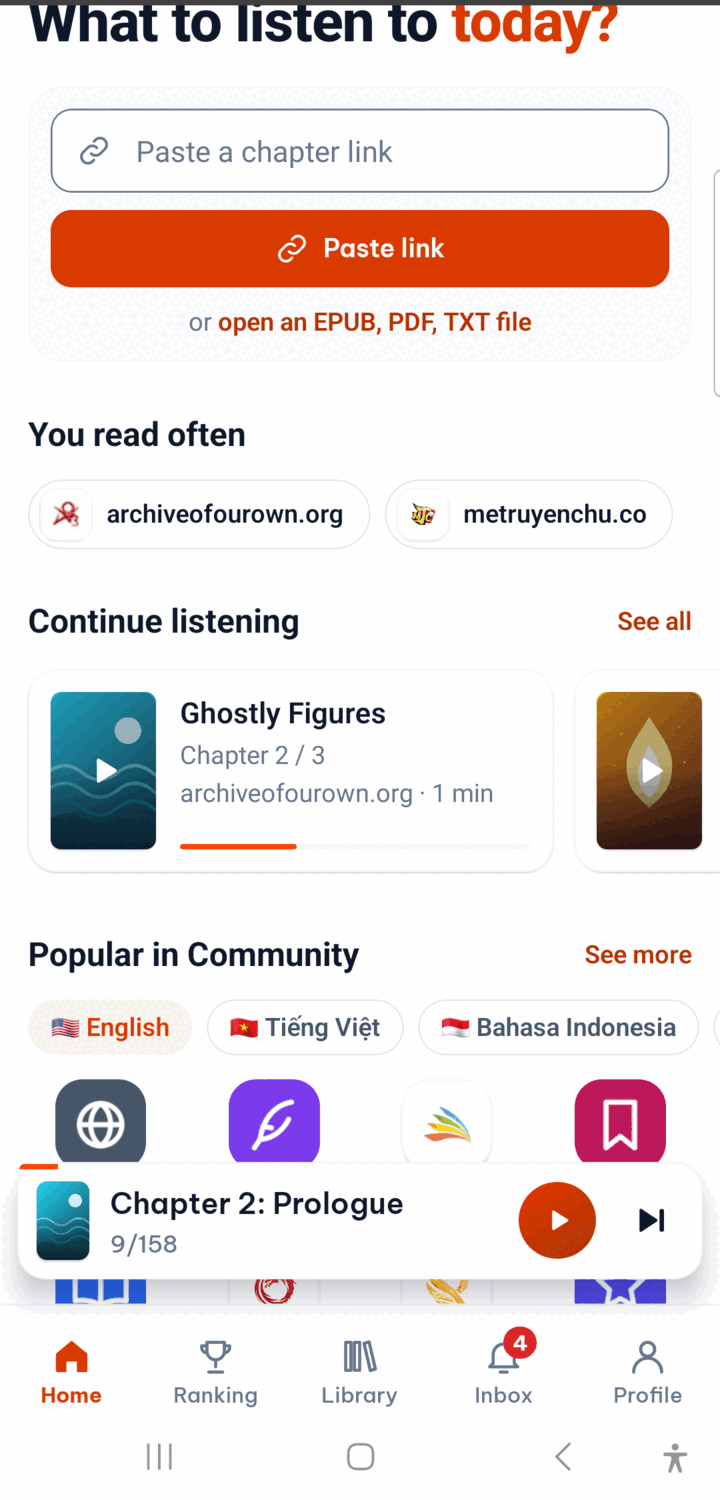
Step 1: Open Aufi and Import Your EPUB/PDF or Paste a Public Link
On the Aufi Home screen, tap the file import option to load your saved AO3 EPUB/PDF, or paste a public AO3 work URL directly:
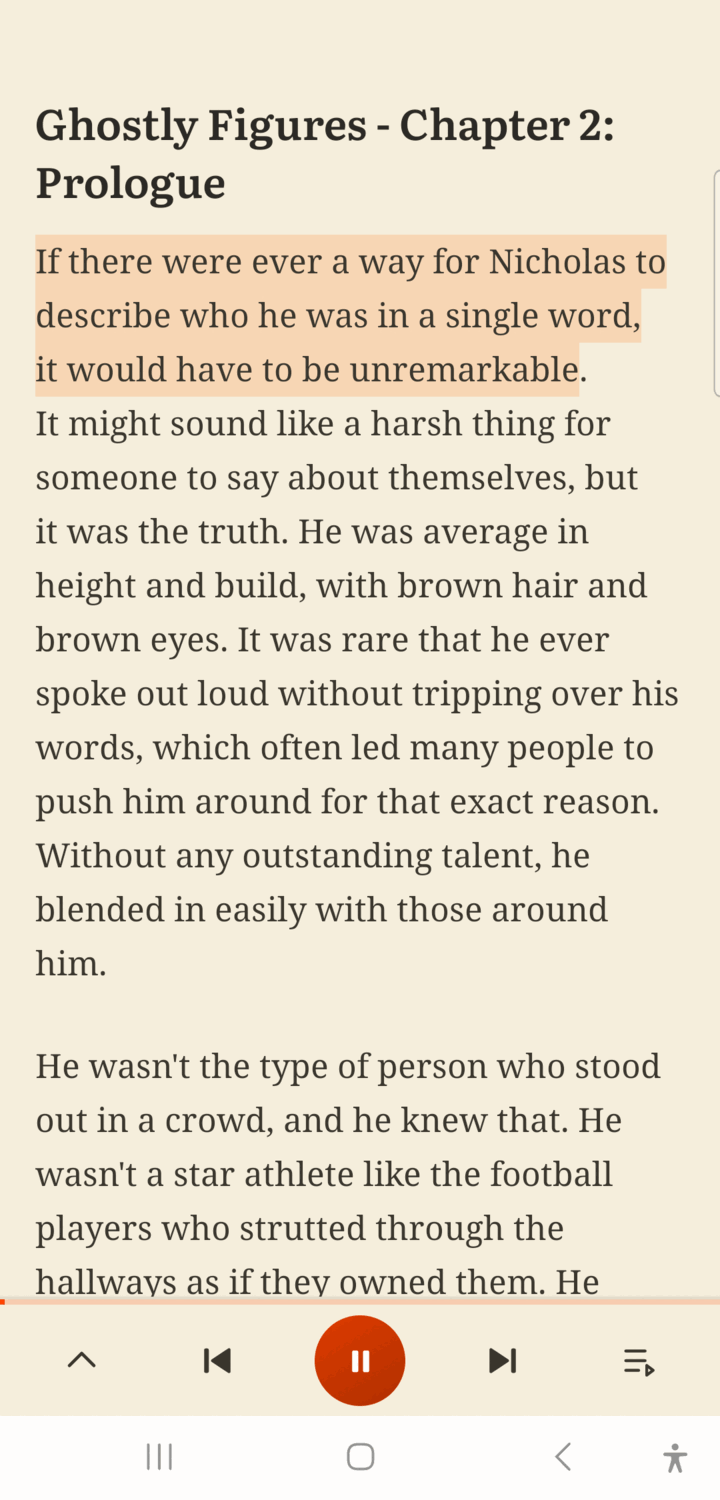
Step 2: Read Clean, Reflowed Chapters Without Clutter
Aufi strips away AO3 tag walls, comment boxes, and page headers, leaving crisp paragraphs ready for reading or listening (with optional Google Gemini cleanup for rough text):
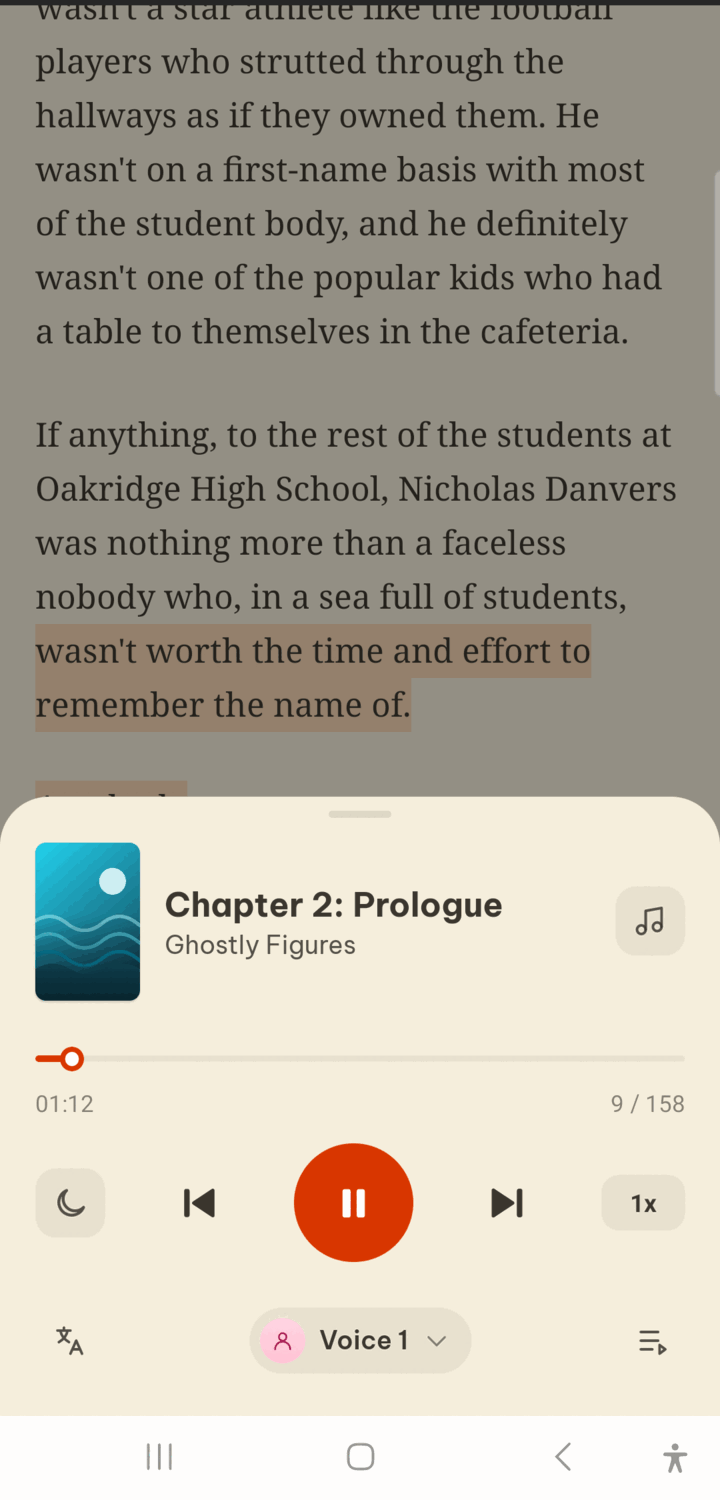
Step 3: Listen Offline with Screen-Off Background Audio
Tap Play to start natural neural narration. Lock your screen, slip your phone in your pocket, and control playback speed from 0.8x to 2.5x:
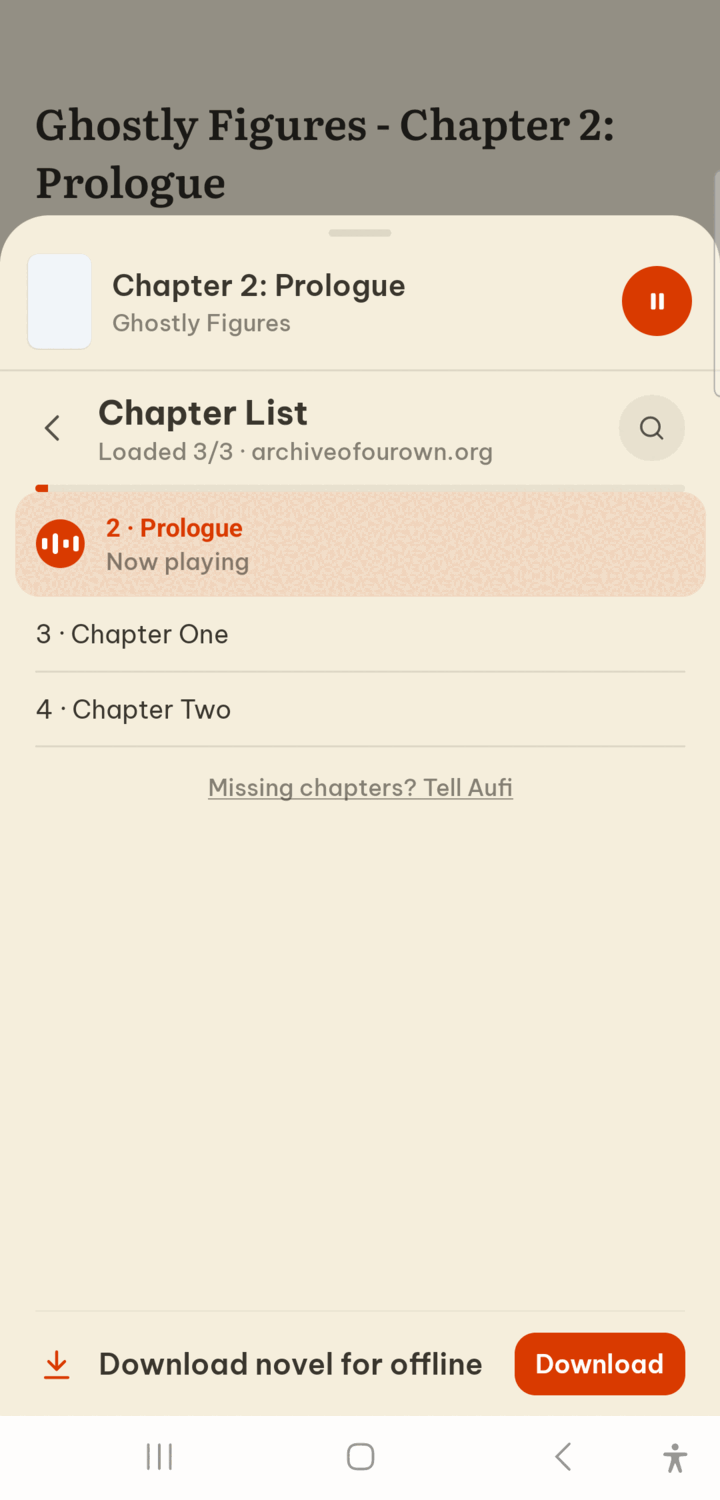
Step 4: Jump Between Chapters in the Offline Table of Contents
Long-fic readers can browse every chapter in the offline TOC, track progress, and auto-advance seamlessly:
Frequently Asked Questions About AO3 to PDF & EPUB
Should I save AO3 fanfics as PDF or EPUB?
Always choose EPUB if you plan to read on a phone or listen with AI text-to-speech. EPUB files reflow text to fit your screen width and preserve chapter breaks cleanly, whereas PDFs lock fixed margins that force awkward zooming.
Does Aufi require my AO3 login or password?
Never. Unlike risky third-party apps that ask for AO3 credentials, Aufi works with your locally downloaded EPUB/PDF files or public AO3 links—keeping your account 100% safe.
Take Your AO3 Library Offline Anywhere
Download Aufi free on iOS and Android to turn your saved AO3 EPUBs and PDFs into natural AI audiobooks—no AO3 login required.