 Aufi
You found a 200,000-word slow burn on Archive of Our Own (AO3), and you want to keep going while you commute, cook or fall asleep. The problem: AO3 is a reading site. It has no "play" button, and there is no official AO3 app. So people search for an AO3 audio reader — something that turns a fic into audio without breaking every few paragraphs.
This guide compares the three ways that actually work on a phone in 2026, explains where each one falls short, and shows the setup we use in Aufi, with real screenshots taken on an Android phone.
Quick answer: AO3 itself does not read stories aloud. You can (1) use your phone's built-in screen reader, (2) download the work as EPUB and open it in a reading app with text-to-speech, or (3) paste the chapter link into an AI audio reader such as Aufi, which removes the page clutter, reads in a natural voice and moves on to the next chapter by itself.
Why Is There No Official AO3 App on iOS & Android? (And How to Listen with Aufi)
If you search the App Store or Google Play for an “AO3 app” or “Archive of Our Own reader,” you will find dozens of unofficial third-party wrappers, but no official AO3 app exists.
This is an intentional stance by the Organization for Transformative Works (OTW). Both Apple and Google enforce strict commercial app store content rules and age ratings. Because AO3 is fundamentally dedicated to maximum creative freedom, anti-censorship, and fanwork preservation—including mature, dark, and explicit (NSFW) fanfiction—an official mobile app would inevitably be forced by app store gatekeepers to censor, purge, or age-gate fanworks.
Instead of downloading sketchy third-party apps that inject interstitial ads over your favorite fics or compromise your AO3 session credentials, listeners use Aufi as a clean, web-based audio companion:
- Zero censorship: Aufi connects directly to the open web version of AO3, preserving every tag, chapter, and unfiltered story exactly as the author published it.
- Distraction-free reading & listening: Strips away bulky headers, comment sections, and kudos bars, isolating only the pure chapter text for clear reading and speech.
- Continuous background audio: Screen-off listening with auto-advancing chapters so you can enjoy 100k+ word epics hands-free.
How to Use AO3 on Your Phone Safely (No Login Required)
Because unofficial “AO3 apps” on app stores can compromise your account, fanfiction communities strongly advise never entering your AO3 password into third-party wrappers. Instead, browse Archive of Our Own in Safari or Chrome, copy any public chapter link (or export the EPUB), and open it in an independent reader like Aufi—no AO3 login required, zero risk to your account, and full background audio playback.
Does AO3 Have Text to Speech?
No. AO3 is run by the volunteer-led Organization for Transformative Works, and the site focuses on hosting and searching works, not on media playback. What AO3 does offer is very useful for listeners:
- Downloads: every work has a Download button with EPUB, MOBI, PDF, HTML and AZW3 formats.
- Entire Work view: you can show all chapters on one page instead of chapter by chapter.
- Podfics: human-recorded audio versions made by fans, tagged as Podfic. If one exists for your fic, it is the most expressive option of all — but most works never get one.
For everything without a podfic, you need a text-to-speech tool. Here is how the options compare.
Method 1: Your Phone's Built-in Screen Reader
Android has Select to Speak and TalkBack; iPhone has Speak Screen (swipe down with two fingers when it is enabled under Accessibility → Spoken Content). Open the AO3 chapter in your browser and start the reader.
- Pros: free, nothing to install.
- Cons: it reads everything it sees — tags, author notes, kudos buttons, comment counts. It usually stops when the screen locks or when you switch apps, and it will not turn the page to the next chapter for you.
Fine for a one-shot. Painful for a 40-chapter epic.
Method 2: Download the EPUB and Use a Reading App
On the work page, tap Download → EPUB. Open the file in any e-book app that supports text-to-speech. Because the EPUB contains only the story text, you avoid most of the page noise.
- Pros: works offline, keeps the whole work in one file, and is the best route for works that are restricted to logged-in AO3 users (download while signed in).
- Cons: you have to download again whenever a WIP updates, and many e-book apps still use flat, robotic system voices.
Method 3: An AI Audio Reader Built for Web Fiction
This is the method most AO3 readers end up with for long fics. Instead of reading the page as-is, a dedicated reader extracts only the chapter text and plays it like an audiobook. We built Aufi for exactly this kind of reading.
Step 1: Paste the AO3 chapter link
Copy the link of any chapter from your browser (it looks like archiveofourown.org/works/…/chapters/…) and paste it on Aufi's home screen. You can also share the page straight from your browser to Aufi.
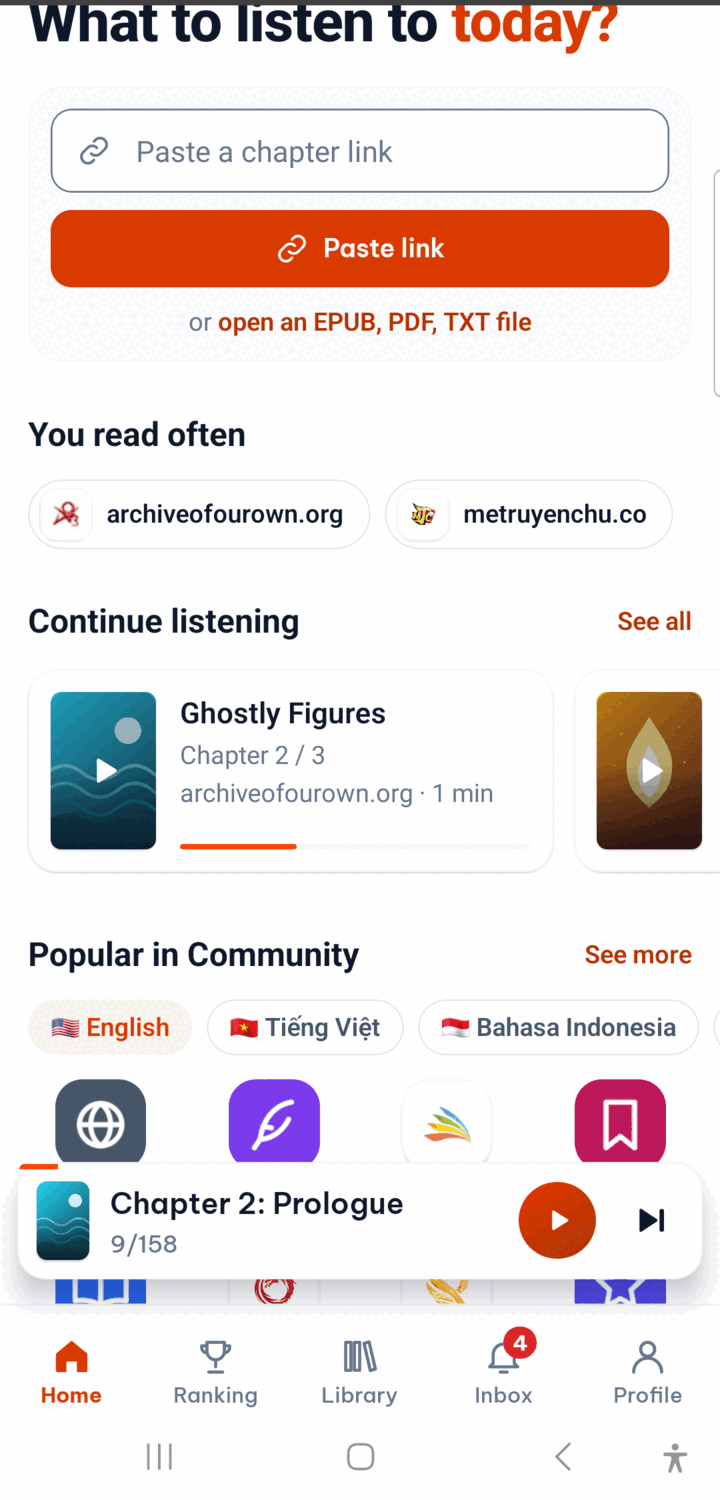
The Aufi home screen on Android: paste an AO3 chapter link, and the site is remembered under "You read often" for next time.
Step 2: Listen with the text highlighted
Aufi opens a clean reading view with just the chapter title and story text — no tags block, no kudos bar — and starts reading. The sentence being spoken is highlighted, so you can glance at the screen and pick up where the voice is.
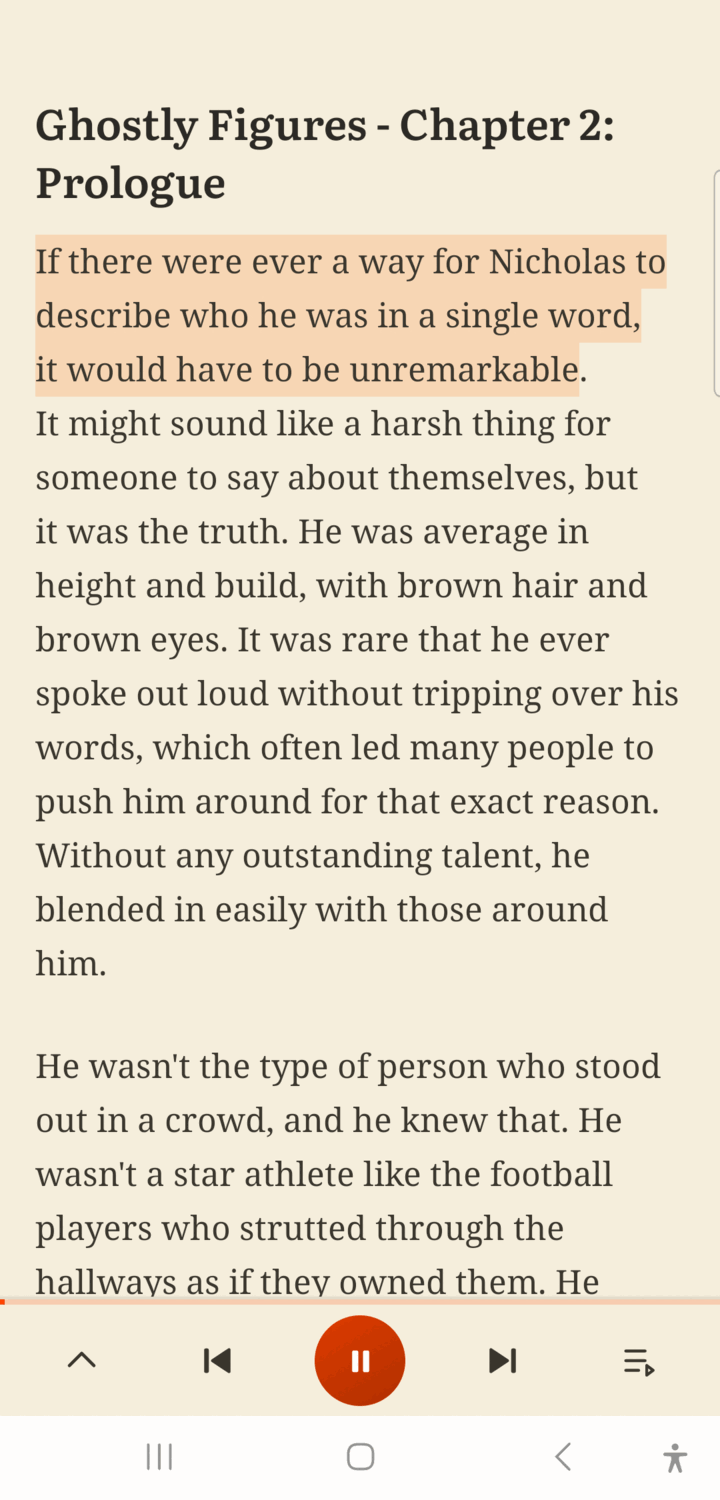
A real AO3 work opened in Aufi: the current sentence is highlighted while the AI voice reads.
Step 3: Lock your phone and keep listening
Playback continues in the background and on the lock screen. Open the player to change speed, set a sleep timer (the moon icon) or switch voices.
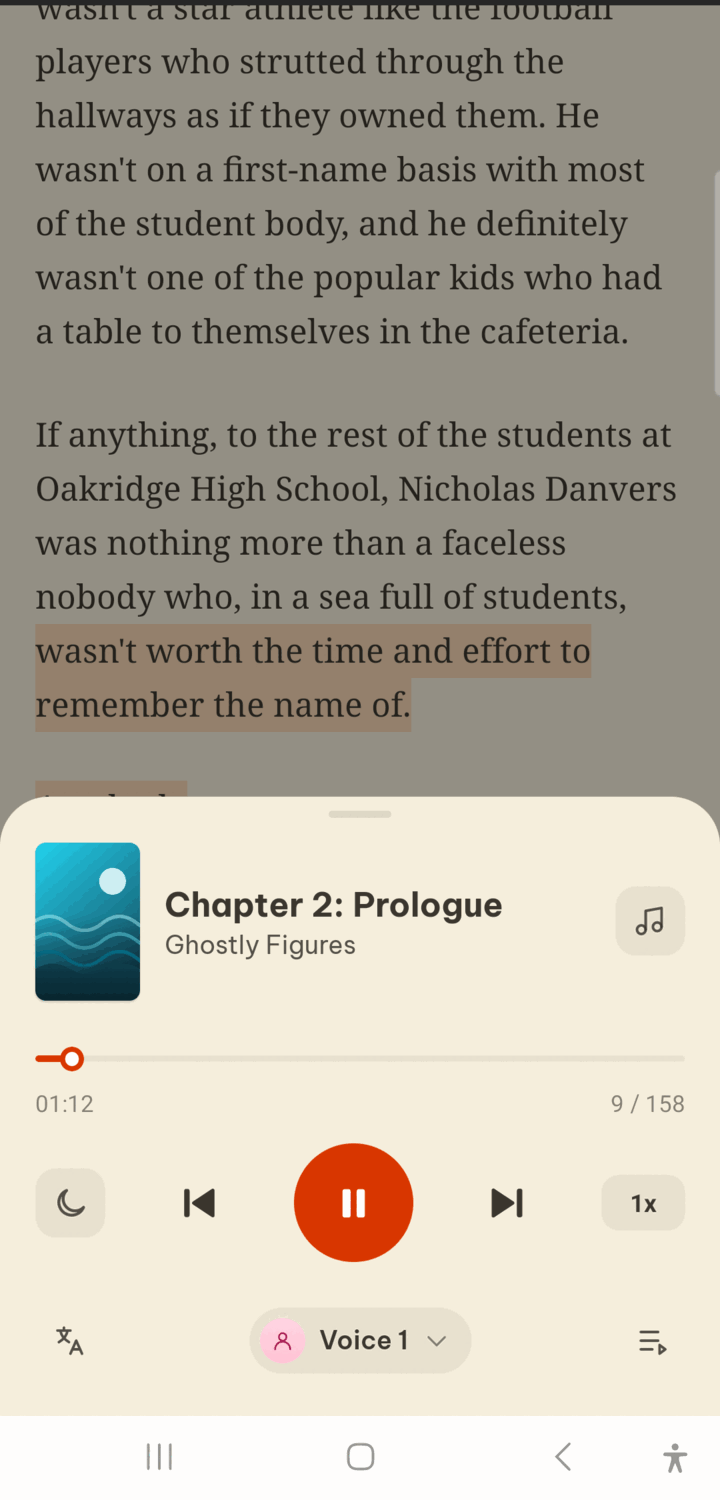
The full player: progress by sentence, sleep timer, 1x speed control and the voice button.
Step 4: Let it move to the next chapter
Aufi reads the work's chapter list, so when one chapter ends the next one starts automatically. You can also jump to any chapter, or download the chapters you have loaded for offline listening on a flight or subway.
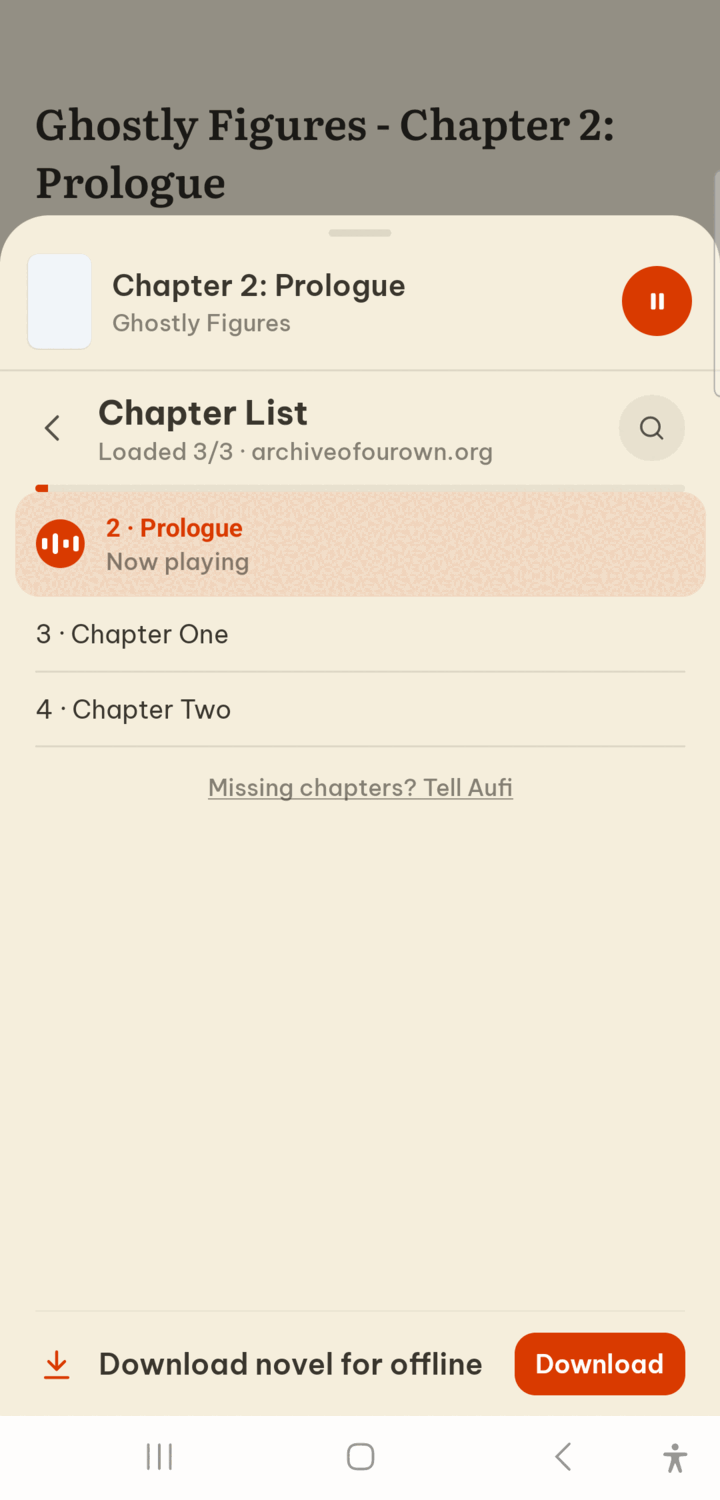
The chapter list of the same AO3 work, with "Now playing" and a one-tap offline download.
Step 5: Pick a voice that suits the story
Free voices are included. Premium adds more natural voices in several accents and storytelling styles, which makes a real difference across dozens of hours of dialogue.
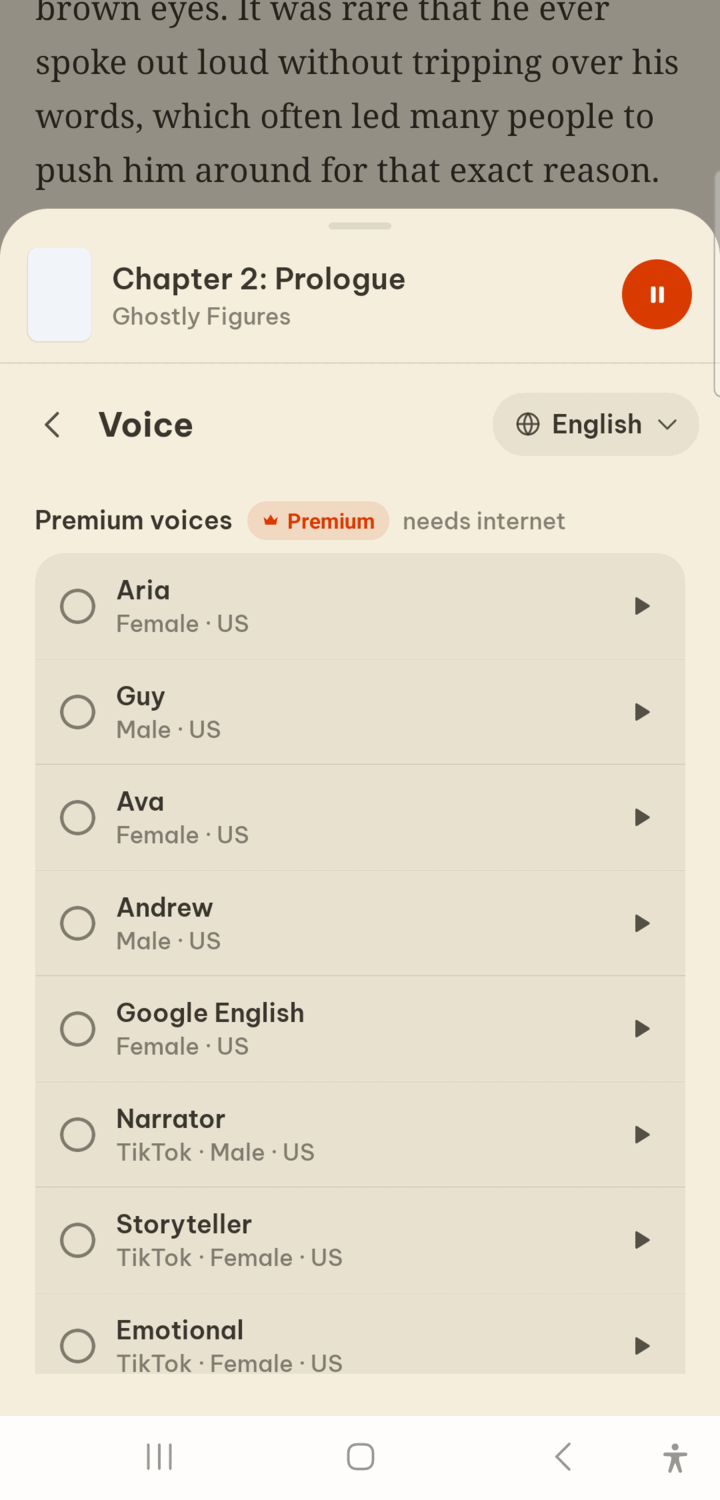
Choosing an English voice in Aufi: male and female voices, including narrator and storyteller styles.
Comparison: Which AO3 Audio Method Should You Use?
| What matters | Screen reader | EPUB + e-book app | Aufi |
|---|---|---|---|
| Reads only the story text | No | Yes | Yes |
| Keeps playing with screen locked | Often stops | Depends on app | Yes |
| Goes to the next chapter | No | Yes (within the file) | Yes, follows the chapter list |
| Picks up new WIP chapters | Yes | Re-download needed | Yes |
| Natural-sounding voices | System voice | Usually system voice | Free + Premium AI voices |
| Offline | No | Yes | Yes, after download |
Tips for a Better AO3 Listening Experience
- Check for a podfic first. Search the work's title together with the tag Podfic. A human performance is a gift from the fandom — leave kudos.
- Fix character names once. Unusual names and fandom terms can be mispronounced by any TTS. Aufi lets you set how a word should be read, and it applies to every chapter after that.
- Use 1.1x–1.3x for long fics. Most listeners settle slightly above normal speed once they are used to a voice.
- Set a sleep timer at night so you do not wake up five chapters ahead.
- Go back and leave kudos and comments. Listening is still reading — writers on AO3 are not paid, and feedback is how they know you were there.
Prefer reading on a laptop? The same approach works in Chrome with the Aufi extension, which reads web pages aloud with the same clean extraction. For a broader look at fanfiction sites, see our guide on listening to fanfiction and AO3 stories as audiobooks, and if you also read on Wattpad, this Wattpad text-to-speech guide covers that site.
Frequently Asked Questions
Is there an official AO3 app available on iOS or Android?
No. The Organization for Transformative Works (OTW) intentionally does not create an official AO3 app due to app store content censorship rules. Instead, readers use safe third-party audio readers like Aufi to read and listen to AO3 fanfics on iPhone and Android without ads or content restrictions.
Is there an official AO3 app with audio?
No. AO3 has no official mobile app and no built-in text-to-speech. Apps that open AO3 works are third-party tools. AO3 does offer EPUB, MOBI, PDF, HTML and AZW3 downloads for every work.
Can I listen to AO3 fics offline?
Yes. Either download the work as EPUB from AO3 and open it in a reader with text-to-speech, or load the chapters in Aufi and use "Download novel for offline" before you lose connection.
What about works restricted to logged-in users?
Some authors limit their works to registered AO3 users. Sign in to AO3 in your browser, download the EPUB, and open the file in your audio reader.
Is listening with TTS fair to the author?
Text-to-speech on your own device is a personal reading aid, like reading on a different screen. Do not redistribute audio files you generate, and remember to leave kudos and comments on AO3.
Turn Your AO3 Bookmarks Into Audiobooks
Download Aufi free and listen to AO3 fanfics with natural AI voices, background playback and automatic next chapter.